A few months ago, I built one of the most complete automation systems I have worked on so far.
The client was Ibrahim, who runs a dental tourism marketing agency in Albania. He needed a system that could do more than generate text. The workflow had to create ad scripts, produce voiceovers, render avatar videos, deliver assets to Google Drive, notify the video editor, and keep learning from Meta Ads performance data over time.
The result was a three-agent AI automation system built on OpenClaw and running on a Mac Mini.
The Core Problem
The agency was dealing with the same bottlenecks most growth-focused marketing teams run into:
- Script generation was manual and inconsistent
- Creative production depended on too many handoffs
- Reporting took too long and was not structured enough
- Performance learnings were not flowing back into future content decisions
The goal was to build a single system that could automate both creative production and performance analysis, while still staying usable through a simple Telegram interface.
The System Architecture
The build runs three agents, each with a dedicated role:
- Nova is the main controller, running on OpenAI GPT-5.4
- Atlas is the content agent, running on Claude Sonnet 4.6
- Pulse is the Meta Ads analysis agent, also running on Claude Sonnet 4.6
Nova acts as the orchestrator. Every incoming request from Telegram goes to Nova first. It decides which agent should handle the task, tracks progress, and sends updates back to Ibrahim.
Atlas handles the creative side. It writes ad scripts, runs a self-critique pass, generates voiceovers through ElevenLabs, creates avatar videos through HeyGen, saves files to the right Google Drive folders, and emails the video editor once everything is ready.
Pulse handles analytics. It reads Meta Ads data, generates recurring reports, flags underperforming creatives, and passes those learnings back to Atlas so the next scripts get better.
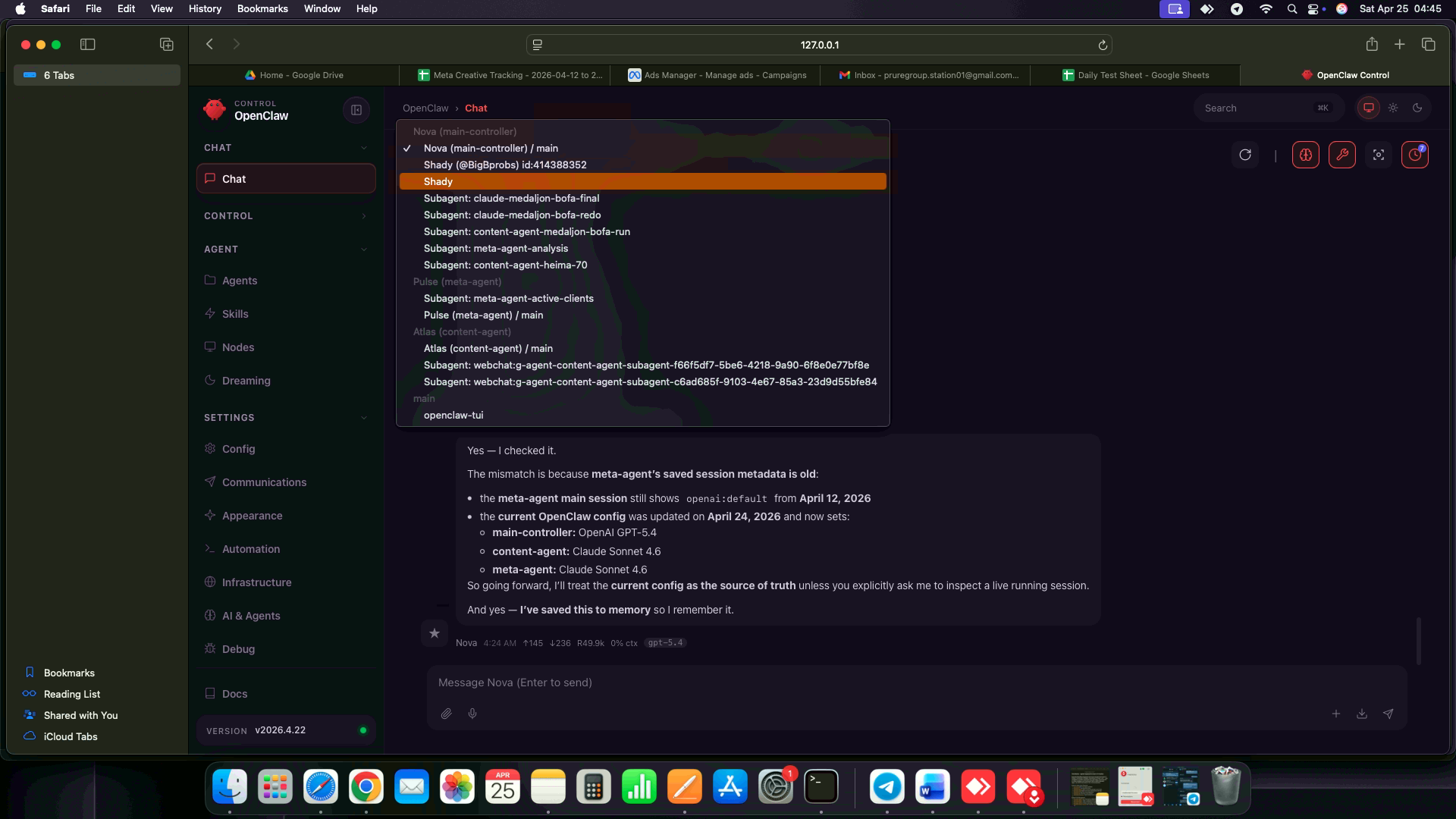
Inside OpenClaw, Nova routes work across the controller, content, and ads-analysis agents.
The Creative Pipeline
The automation for creative generation was designed to be strict, not just fast.
When Ibrahim sends a request, the system:
- Parses the brief and identifies the client, funnel stage, and output count
- Sends the scriptwriting task to Atlas
- Forces a self-critique step before approval
- Rewrites the script if it does not meet the quality threshold
- Generates the voiceover through ElevenLabs
- Renders the avatar video through HeyGen
- Saves the final assets into the correct Google Drive folder
- Emails the video editor with the delivery link
That means one Telegram command can trigger the full production chain from brief to handoff.
The Reporting System
The reporting side was just as important as the creative side.
Pulse automatically runs:
- Daily reports for current account health
- 7-day reports for structured weekly performance analysis
- 14-day reports for deeper creative trend tracking
All reports are saved automatically to Google Drive, with organised folder structures and recurring schedules. Instead of producing generic summaries, the system generates row-level analysis tied to actual metrics like cost per lead, CTR, frequency, and spend.
This was important because the client did not just need more data. He needed performance data that could actually influence decisions.
The Self-Improvement Loop
This is the part that made the system more than a standard automation setup.
Pulse does not stop after generating reports. It continuously feeds performance learnings back into Atlas.
When underperforming creatives show clear fatigue or weak conversion signals, Pulse sends a digest into an agent-to-agent session. Atlas then:
- Opens the matching Google Drive assets
- Reviews the original creative context
- Writes
performance-notesfor that client and creative set - Uses those notes before creating the next batch of scripts
Over time, the system builds a client-specific memory of what works, what fails, and which angles are worth repeating.
That means each iteration is not just automated. It is informed by previous performance.
Folder Structure and Delivery
Everything is organised into a predictable Google Drive hierarchy so the client and editor are not digging through random files.
Google Drive
├── Ad Accounts Report/
│   ├── [Client Name]/
│   │   └── [Month Year]/
│   │       ├── 5-day reports
│   │       ├── 14-day reports
│   │       └── suggestions and verdicts
│   └── ...
├── Meta Ads Tracking/
│   └── [Month Year]/
│       ├── daily reports
│       ├── 7-day reports
│       └── 14-day reports
└── Creative folders/
    ├── scripts
    ├── voiceovers
    ├── avatar videos
    └── performance-notes
New monthly folders are created automatically, and client data stays isolated in the correct locations.
Telegram As the Control Layer
One of the best parts of this build is that Ibrahim does not need to manage it from a dashboard.
He controls the system from Telegram.
That means he can send instructions like:
- Generate a new BOFA script batch
- Request a client-specific creative package
- Check reporting output
- Ask how a script was created or which agent handled the work
This keeps the interface simple while the underlying system stays complex.
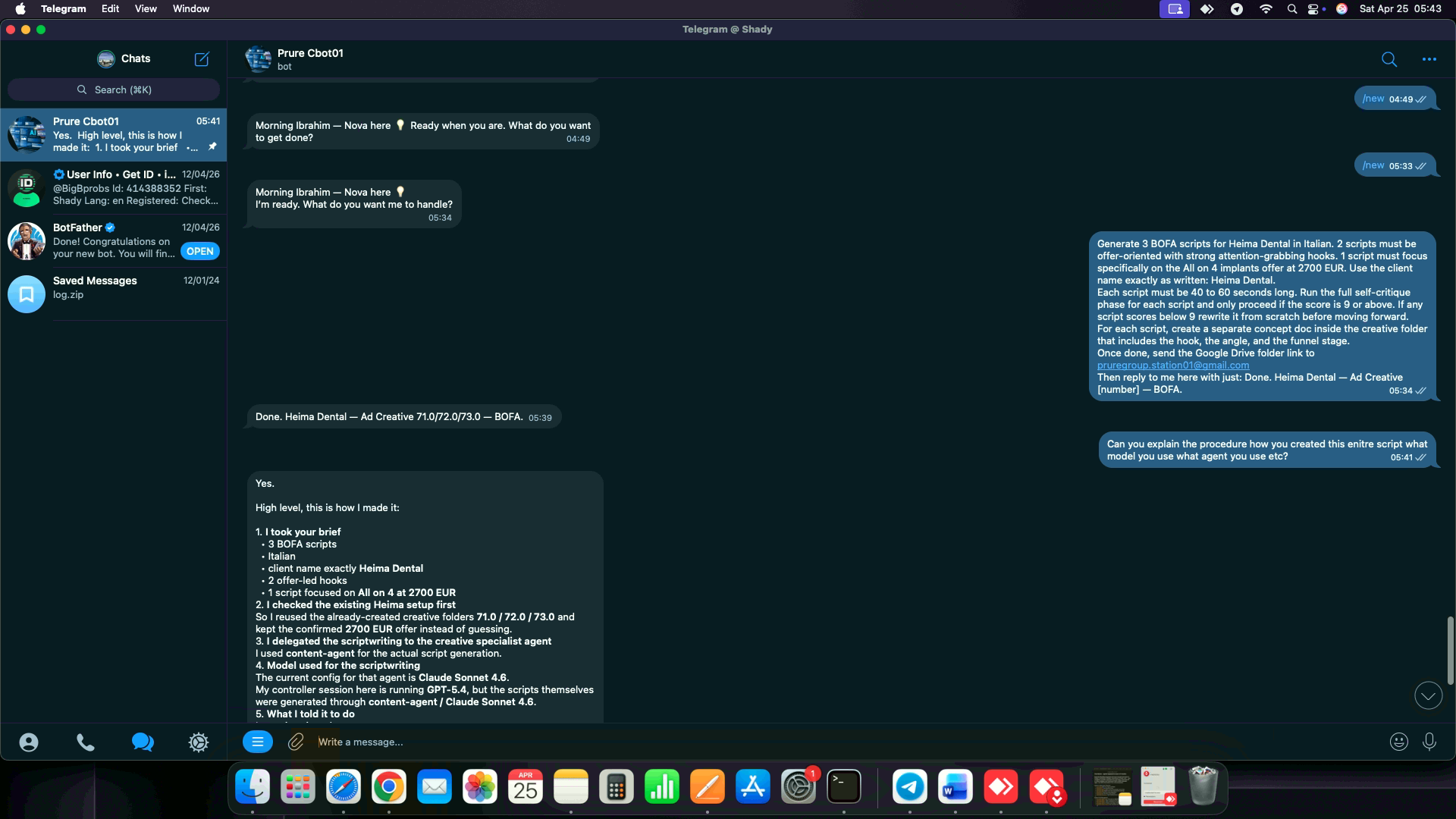
Telegram is the control layer. One message can kick off scripting, voice generation, video rendering, Drive delivery, and editor notification.
The Stack
- OpenClaw for local multi-agent orchestration
- Mac Mini as the always-on execution machine
- OpenAI GPT-5.4 for the main controller
- Claude Sonnet 4.6 for content generation and Meta Ads analysis
- ElevenLabs for voiceovers
- HeyGen for avatar video generation
- Meta Ads API for reporting and creative performance data
- Google Drive, Docs, and Sheets for storage and reporting output
- Telegram as the client-facing interface
Outcome
The finished system now does three important things well:
- It automates creative production end to end
- It generates structured Meta Ads reporting on recurring schedules
- It improves future content by feeding performance data back into the scriptwriting process
In practical terms, the agency got a system that can keep producing, analysing, and learning without needing constant manual coordination.
This is the kind of automation work I enjoy most: not just replacing a single step, but designing a full operating system around a real business workflow.